Computer Screen Monitor

What Causes the Blue Screen of Death?

The acronyms Blue Screen of Death or BSOD are likely terms you have already heard or used in computer technique. It deals with that blue screen of death, displayed on the computer screen monitor whenever there is an impending system crash or shutdown on the computer device. The first reports of a BSOD go as far back as the 1980s when Microsoft operating systems were not as complex as they are now. Since then, this screen has reoccurred over the years, with many users left drop-jawed and their heart racing.

BSOD or Blue Screen of Death, sometimes referred to as the Blue Screen of Doom, is a phenomenon that occurs when either a Microsoft Windows signed driver or mandatory Windows-sourced BIOS/driver sends an IRQ that hits the 0x1A, or difficulty level 12.

Common Problems

The most common causes include:

Hardware Issues

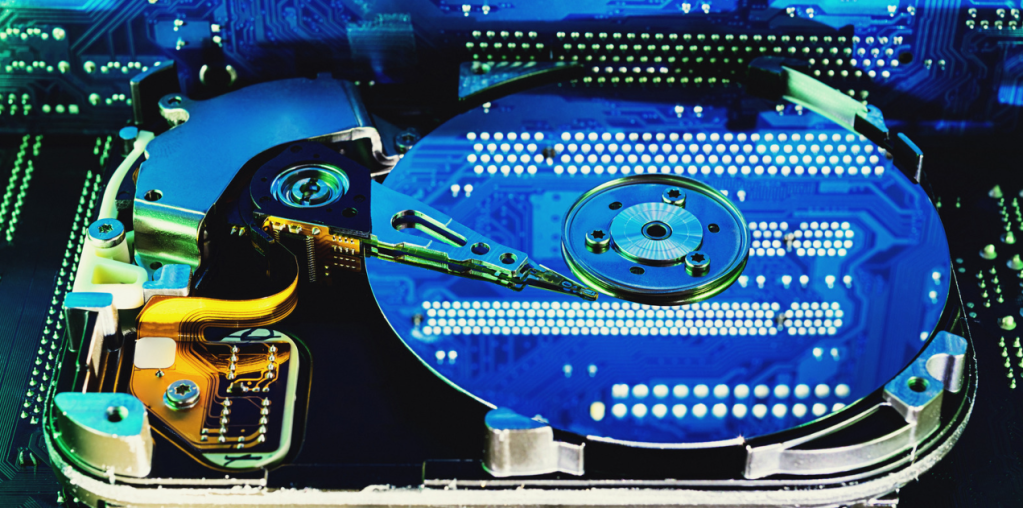
A significant cause of the Blue Screen of Death as a substantial source of system instability is hardware failure. This usually results in the fault of the hard drive, the RAM, or, more rarely, the power supply. A hard drive is vulnerable to failure either by the exposure of time or through physical impact, whereas a faulty RAM may go unnoticed when the computer is starting. Besides, poor power supply is standard and causes such outcomes as operation crashes and Blue Screens.
Driver Problems

If the drivers applied to your system are either obsolete or contain inherent errors that lead to corruption. Where there is a problem with the functionality of a device driver, for example, the graphic or perhaps the sound drivers, it will lock a fight with the operating system and cause the Blue Screen of Death. The only way to avoid getting involved with driver problems you have no control over is to ensure that all your drivers are updated and check periodically to make sure you get the latest updates.

Software Issues

Other common causes include software conflicts and problems with third-party applications. When it comes to computing, some programs, particularly those that cannot work closely with your operating system, can interfere with your hardware and software, leading to frequent crashes. In order to reduce the incidence of software-related problems, always ensure that your software is suitable for your hardware and operating system. Also, do not use two or more antivirus/security programs on a computer, as they interact with each other, thereby causing failure in the system.

Overheating

Another cause of the Blue Screen of Death is that the computer gets too hot. In some instances, when the computer becomes very hot, the system can switch off on its own to try and avoid further damage to the CPU. An overheating might be a result of an improper operation of the cooling system or due to some obstacles in introducing fresh air by the supply. If overheating is the cause of a blue screen of death, you can quickly determine from the temperatures of the CPU and graphics card. If they are above the threshold levels, you may need to borrow a vacuum cleaner and clean the dust in your computer or go for a new cooling system.

Virus or Malware Infection

Thus, viruses, worms, and any unpleasant software may sometimes lead to a blue screen. When your computer has been affected by a certain malware, this can slow the system’s operation and cause blue screens and forced shutdown. Of course, to avoid such Blue Screen, always have your anti-virus software updated on the computer, and scan the program regularly to check for any malicious software installed on the computer.

Troubleshooting Steps

Once you have determined why you have the Blue Screen of Death, you can start repairing it.

Here are some troubleshooting steps you can take:

Check the Error Message

The first process is diagnosing the problem, which means identifying the message written on the Blue Screen. It can also include details about ‘why’ the crash occurred and ‘which segment’ of your system needs attention. There are a number of regular error codes and messages/ What are STOP codes? They point to a specific hardware or software problem; another message is about overheating.

Restart Your Computer

In some cases, you may not even need to do anything else other than restart your computer to get over this Blue Screen of Death. This will refresh the memory and shut down any program that may be a hindrance to the system. If it continues like this, you will have to go further down that route.
Check for Updates

Maintain updates of all your operating systems, drivers, and software. Also, hardware conflicts arising from software can bring about Blue Screens, as can conflict between programs, which leads to crashes. Check to see if you can download new updates using Windows Update first and then check for the most recent drivers for your equipment.

Scan for Malware

If you feel that there is a virus or malware on the PC, it is essential to use an antivirus program to scan the entire system on the computer. If there is anything that the scan has found in your system, then delete it and reboot your computer.

Check Hardware Issues

Meanwhile, if you are convinced that the Blue Screen of Death is arising from a fault in the hardware, it is advisable to consult an expert. They can spot the problem and exchange any hardware that has been damaged.

Perform a System Restore

If you are still encountering Blue Screens, you may opt to do a system restore. This will bring your computer to the state it was in before it began to have a problem and start working perfectly for some time. To do this, go to the search bar of the window and click enter the command ‘System Restore”.

Reinstall Windows

However, before you push that button, there are other measures you can take; in the worst-case scenario, it is best to reinstall your operating system. This will help you clean any system files and drivers that might have gotten corrupted, which is the reason for Blue Screen of Death or BSOD. Please ensure that you have copies of all your files before you take the following step.
Cybersecurity Software

Cybersecurity Mistakes and How to Fix Them

Cybercrime is undoubtedly one of the most significant problems that have evolved over the last ten years, and millions of people become cybercrime victims annually. Therefore, knowing which kind of misinformation is most frequent in the security field and where we can fall is essential. In this article, we will outline five primary cybersecurity issues and illustrate how to rectify the them.

Outdated Software

Security software update nonchalance is arguably one of the leading cybersecurity errors people make. Most individuals also pay scant regard to those messages or notifications they receive periodically urging them to apply the latest patch to their applications. With current technological advancements, having modern wares puts the operating devices at the mercy of malware, viruses, and hacking.

Effects of Having Outdated Software

Failing to update your security software will result in data exposure los,s of information, and monetary loss. For example, in 2013, one of the largest retail companies in the United States, the Target Corporation, was hacked through its information system, leading to over 40 million customer’s debit and credit card details being exported. The company’s security software was not able to identify the malware. Thus, customer data was stolen by hackers.

How to Fix the Problem

To protect yourself from such mishaps, you should constantly update your security software to do away with the antivirus and firewall programs. The nature of such updates is usually of valuable patches that aid in preventing specific new threats. It is advised that applications be added to the automatic update option to provide up-to-date protection against future cyber threats.

Using Weak Passwords

Another common mistake is entering different, often easily guessed, passwords to your various online accounts. Aside from easily hackable passwords such as ‘123456’ or ‘password,’ a vast majority of users rely on relatively simple, not to mention readily crushable passwords.

Effects of Having Secured Passwords

Weak passwords may lead to identity theft, loss of money, credit card fraud, and unauthorized access to one’s data. Password cannot be hacked with E-mail, key loggers, or through guessing because it’s too familiar. Once computer hackers get your password, they can see what you are doing online and steal from you.

How to Fix the Problem

To correct this error, you should use passwords that act as passwords; this was a weak password since anyone with some knowledge of computers would crack it in minutes. Password should contain upper- and lower-case letters, numbers, and special characters. Never use your social security number or other personal data; avoiding using famous words and phrases is better. A password manager can also create and save appropriate passwords for your online services.

Falling for Phishing Scams

Another misstep that people make is falling prey to phishing scams. Others involve scams using legitimate emails aimed at getting individuals into providing personal details like passwords, credit card details, and social security numbers.

Effects of Phishing Scams

Phishing scams are dangerous since they delude people into believing that falling for fraud is not a significant drawback- something every bright individual gives in to from time to time. Phishing scams entitle hackers to steal personal data and, identity, money and provide them with full access to your information.

How to Fix the Problem

Anyone who wishes to reduce the incidence of being phished should exercise a lot of care while working with emails, links, or attachments. Be careful with unexpected emails, especially from essential emails asking you to share info. Check for the common bait that may accompany a phishing scam, including any wrong spelling, any generalized greeting, and any links or attachments provided. Phishing also has indicators and types, and you can learn about them.

Sharing Personal Information on Social Networking Sites

One problem most people fall into is invading their personal information online. Social networking sites users post full names, house numbers, phone numbers, and dates of birth or birthdays of individuals on their profiles.

The Effects of Personal Data Exposure on the Internet

Disclosing information via social networks exposes you to identity theft, scams, and other cybercrimes. For instance, credit card hackers may use your details to seek new cards or get social security numbers for identity theft when filing tax returns.

How to Fix the Problem

To fix this mistake, you should keep checking the information you put on various social networks. Do not give out personal details, including your full name, physical address, phone contacts, or bank details. You can also restrict the volume of information published on social networks by changing the account’s settings. In addition, technologies like VPNs and encryption can hide all our activities.

Lack of Mobile Device Security

Another typical blunder in terms of cybersecurity is paying no attention to the security of mobile devices. Mobile phones and tablets are personal and work devices, thus susceptible to cyber threats.

Effects of Failure to Consider Mobile Devices Security

That doesn’t include proper mobile device security, or one would either lose their personal data or money or have other people accessing their devices. For example, in 2014, card processing systems comprising ATMs fell to hackers, and proprietors of the banks and their customers lost millions of dollars. They were able to send malware to ATMs and this would cause the device to open for them and make withdrawals.

How to Fix the Problem

To rectify this problem, action must be taken to protect the cell phones and tablets. You should have an anti-virus to protect your device from viruses and you can use this too to ‘lock’ your device with a password. Do not connect your device to public internet connection causes, there is always a problem with such connections since they may not be secure. And do not trust any app you haven’t downloaded from the official app store.

Computer Safe from Hackers

Top Tips for Keeping Your Computer Safe from Hackers in Canada

Therefore, online security is a crucial issue of concern to Canadians, especially given that most of our activities are carried out through the Internet. A new kind of threat appears almost every year, and cybercriminals learn new ways to break into the gadgets and steal data. Therefore, if people need to protect their computers, along with their information, from hackers in Canada, they are also supposed to follow suitably.

Here, we will inform you of some precautions that you can take to prevent hackers from gaining access to your computers and being a step ahead of you.

Keep Your Software Updated

The simplest way is to go through the flaws that the hackers know exist in the outdated software you may often have on your computer. For reference, using loopholes exploited in weak types of software is among the favorite tactics of cybercriminals. One of the primary measures in staffing cybersecurity is making sure that your computer and software are current. You should also turn on ‘automatic updates’ on all your devices and manually update all software.

Solid and unique passwords should be implemented

Hacking requires only one entry point, and common passwords like “123456” or “passw0rd” means inviting the hackers. To ensure that your computer is safe, ensure that you have a password of at least twelve characters containing both numbers, capital letters, small letters, and symbols. Also, do not reuse passwords for the different accounts that you are using since it is very unsafe. Utilize a password manager to create unique passwords because the tool securely saves them.

Users should use two-factor authentication

Two-factor authentication or 2FA increases security by having the user input a second means of authentication, usually a one-time code sent to either your phone or email in addition to the password. Most accounts across the internet and various services, including email and banking, have 2FA. By enabling it, you expose yourself to a tiny surface area for the hacker to work on; therefore, you become more secure from unlawful access to your accounts and other sensitive data.

Emails and attachments may contain viruses

The most commonly hacking item in phishing is email phishing. The attacker tries to get the victim to give something meaningful, like data or to download an app they don’t want. Do not open any links or attachments from emails that are unfamiliar to you or that require you to provide your information. Always check the authenticity of the source of a received message and closely examine the content of the message before responding or taking any action over the received message. Phishing attacks are usually quite sophisticated, so it is always best not to take any chances.

Choose and Set up a good Antivirus Program

Antivirus software is a program that enables a user to prevent viruses and other malicious software from harming a computer. These programs are developed to detect, neutralize and delete any unwanted software installed in your computer. Choosing your antivirus program well and frequently scanning through and changing your antivirus program to keep your computer device safe. Do not use the free antivirus tools, because they cannot handle more complex threats.

Regularly Back Up Your Data

Data backup is essential in ensuring your information is not gotten by a hacker through an attack or not accessible once your device malfunctions. Always keep your documents and anything else necessary to you on a safe cloud storage or an extra hard drive and use a credible backup software. Back up your data on the usual basis so it would be possible to restore all the necessary data in an emergency.

Secure Your Wi-Fi Network

It is essential to protect your Wi-Fi connection from hackers to protect your device. To guard your wireless network set a good password and ensure the wireless access points are enabled with the WPA2 option. Turn network sharing off and not connect to unknown networks if hackers hack them. Set it up so that it connects to a public network via a virtual private network (VPN) to further improve data transmission privacy.

Train your Employees and your family members

You need to ensure that you train your employees or family members to avoid exposing your computer and network to dreaded cybercriminals. They can educate employees how to avoid phishing emails and similar forms of security risk, and how to create secure passwords. Establishing a healthy practice of cyber security at home and your workplace can go along with limiting the success of such a move.

Check Your Accounts Frequently

Knowing accounts and finical transactions will stop fraud immediately where the physical security measures only serve to discourage the fraudster. Check your credit card and bank statements regularly and when you see something that doesn’t seem right — contact your issuers. Also, do not forget to pay attention to login activity and check the login history in your accounts, if necessary – report unauthorized logins.

Be UpToDate and Upgrade Your Alerts

There is no relief from the threat of cyber criminals so you must remain up to date with what they are doing, and how they are doing it. Read cybersecurity news websites, join webinars and other online classes, read forums and pages of cybersecurity, and guard against threats. In Canada, always try and ensure that you adapt your security measures to keep you a step ahead of the hackers.

Repair Computer Screen

How Much is it to Repair a Cracked Computer Screen

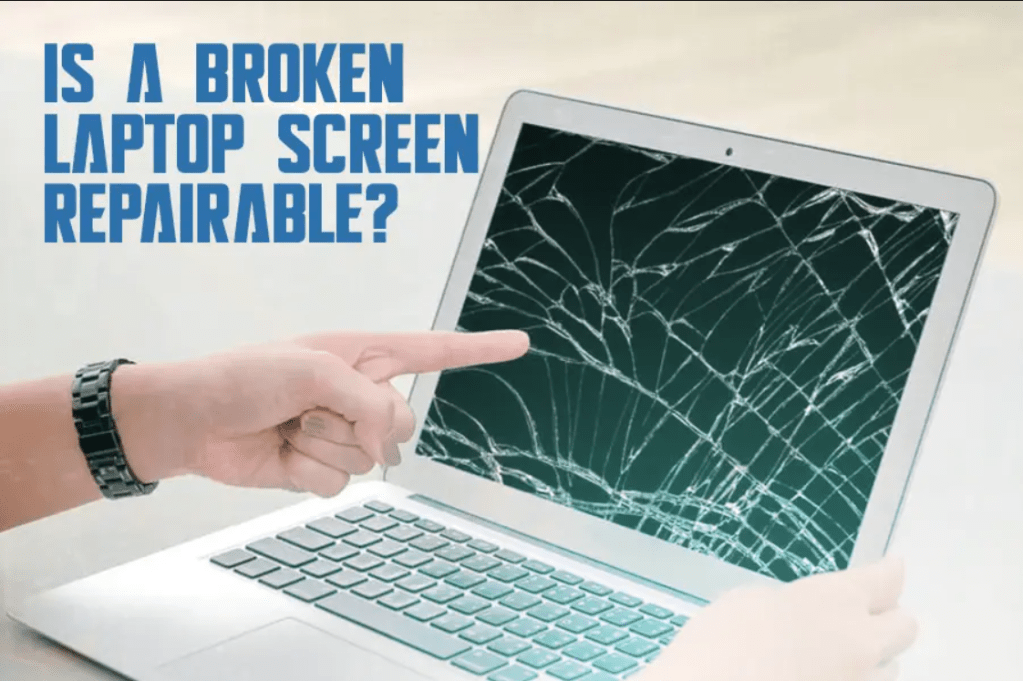
A cracked computer screen is an accident that Laptop and desktop PC user can easily face in their lifetime. A scratch, a tiny crack, or a chip on the screen can cause significant impacts and displease your viewing experience, making using the device almost unbearable or downright impossible. Getting a cracked screen fixed is usually feasible, but what would such a fix set you back? This guide looks at all the standard parameters likely to affect the price of repairing a cracked computer screen.

Find below the various elements that affect the cracked screen repair costs

Type and Size of the Device

As an example, the price to repair a cracked screen of the computer may significantly differ depending on whether it is a monitor of the desk, notebook, or a similar device. In general, it can be said that laptop screen repair can be the most critical and costly because of its small size and complex internal structures. More excellent dimensions of desktop monitors are typically more convenient for the technicians to reach and get rid of. Another determinant of the costs of acquiring a replacement part is the particular make and model of the device you own.

Screen Size

One of the most significant cost contributors is the screen size that needs to be replaced. More screen space, as a rule, is more expensive to produce. In addition, both replacement parts cost and repair labor time pegged to screen size suggest that repair costs rise with screen size. While an average laptop with a 10–15-inch display screen could cost about $200-$300 for a replacement, the 27-inch iMac display could save you over $500.

Screen Type

The cheapest forms of replacement screens are standard LCD and LED ones. However, some new devices can have more expensive screen technologies such as OLED or Retina/high-DPI displays. Unfortunately, since these screens can run up to $1000 from the manufacturer, the repair costs are always much higher than using a standard LCD. Replacing a touchscreen is slightly more expensive than replacing a comparable one with non-touch features.

Repair Shop Fees

Independent repair technicians and chains of device repair companies have different charging rates for the work done, part purchase services, and equipment and software requirements, which influence the prices. Nationwide chains must disperse to fewer sources and, therefore, can negotiate lower part costs, or they can cut specific prices to remain competitive; self-employed technician at a localized computer store must also pass through most per piece expenses on to the customer.

Any Further Maintenance or other requirements

Accidental damages are associated with touchscreen damage as they also accompany drops, spillage, or other damage to the gadget. There is also a contribution to the cost due to component or peripheral replacements done when you’re doing the screen repair. Additional services, including data backup, operating system reinstallation, warranty handling, diagnostic check, or if you paid for urgent repair, add to your overall cost if you want your computer fixed up.

Factors That Reduce Cracked Screen Repair Cost

  • In case of any coverage, the manufacturer’s warranty coverage can be used
  • Self-consultant fixes instead of paying for a technician’s work
  • Bulk repairs form schools or business with special rates offered
  • Older device models because they use aftermarket parts that are easily found and relatively cheap

Cracked laptop screen cost for an average price

Cracked laptop screen repair price in United State ranges from $200-$300 which is the average amount. Replacing screens for standard models, such as MacBook Pros and light weight Dell, HP, Acer, or Asus notebooks usually costs between this and a little more than this figure. Touchscreen, 4k display, those large laptops with 17 inch+ size, they can sometimes increase average costs by $500+ for total costs exclusive of operating system.

What Comes After Your Screen Cracks?

It is crucial to act as fast as possible when confronted with a condition that sees your computer’s screen crack since it prevents any more damage or pressure on the computer’s components. Make sure to wipe and bag any shattered glass or dried up liquids first in such a scene. If it is possible, backup your critical data. Once the cracking starts get your computer to a professional repair shop as quickly as possible for the quickest response. Also one should look for warranty or insurance conditions to reimburse or at least reduce the costs. As you are aware, the cost of screening varies depending on your specific make and model of the device, however, knowing what influences price will help you set the right price for your repair.

Computer Setup and Configuration

How Much Does a Computer Repair Cost

To have your computer repaired is a frustrating and sometimes expensive process. However, there is some maintenance that needs the laptop repaired in order not to develop serious issues that will lead to the loss of our data. Suppose you are considering whether to repair or replace your damaged computer.

In that case, it may help to know the following: What determines the cost of computer repair? Within this article, the typical/comparative price of the most popular computer repair services, as well as essential factors that would lead to cost variation in some of the repair services, will be highlighted.

Labor Costs

Overall, the central part that determines the amount of cash required is the labor. Instead, repair technician’s fees are usually an hourly rate that might cost between $30 to $100 on average of an hour. The exact rate will vary depending on the computer repair technician– be it a chain store, a local store, or a technician you hire to come to your house or workplace. Be prepared for labor costs to comprise a large part of any cost incurred in repairing a computer.

Hardware Replacement

Editing software or installing better software is not often possible on computers. Sometimes, the only solution is the replacement of faulty hardware, including a hard disk, RAM, system board, or graphic card, among others. Hardware is expensive, yet its prices change often; you may spend between $50-$500+ to replace a damaged computer part.

The specific price will vary considerably based on factors like:

  • Type of component – Solid state drives, hard disks are much more priced. Graphics cards differ a lot.
  • Capacity – A product with more extensive storage hard drives or more RAM ends up costing more.
  • Brand – More especially from the brands, their components attract higher prices.
  • Availability – Some of the components may be rare; hence, they will be expensive.

To get an actual quote for the hardware repairs, it might be necessary to allow the repair technician to work on your computer and diagnose it.

Software Repairs

Correcting software-related problems, including virus/malware eradication, failed software upgrades, or data recovery, costs $150-$300 or more. Software problems are usually not accessible, and solving them mainly in the early stages well takes time. Data recovery cost primarily depends on the degree of data loss and the repair type that must be done.

On-Site Repairs

Home and small business computer owners who are getting repair visits to their place for their computers, the cost for this is higher than dropping by the computer shop. On-site visits do let you avoid being without your PC. Still, they will charge you a pretty penny for the privilege of having the technician come to you on the grounds that you will save them time and travel expenses. Next, be prepared to pay $40-$80 or more for on-location house calls.

Extended Warranties

Warranties are an added cost that may be incorporated into the price of computer repairs or spare parts; however, using the money to purchase an extended warranty will prove cost-effective in the long run. The analysis of warranties pertains to whether warranties make economic sense depends on the probability and the probable cost of repairing any malfunctions that may be experienced. On costly notebook or personal computer fixes, warrantee options shield you against successive expenses.

Conditions That Make You Pay More for Computer Repairs

While the examples above reflect average price ranges, several variables can raise quotes for specific jobs above average rates:

  • Severity of damage –More the damage, the cost will be higher for the parts and the labour.
  • Device type – Work done on laptops or specialized devices are sometimes more complicated.
  • Data recovery – This makes work challenging and time-consuming because one looks for lost data.
  • Urgency – You will be charged a premium fee if the mending is an emergency.
  • Location – Technicians coming to your places can attract charges.

How to Reduce the Computer Repair Bill

If you need an expensive computer repair, try these tips to control costs:

  • Be informed – Contact different auto repair shops and mechanics.
  • What if you do DIY minor repairs – Maybe there are simple things to change which you can do on your own?
  • Data back-up – Data should be backed up constantly to prevent incurring expensive costs in data retrieval.
  • Prevent problems – Computer anti-viruses, or malware can all prevent many issues. 
  • Extend your warranty – While this is only available with some laptop manufacturers, they often extend their warranty and they will pay for repairs to your laptop in years to come.
  • Inquire on special offers – Student, senior, military or any other.

Bottom Line

A typical intricate data recovery if done on a damaged laptop may go for over $1000 while a simple diagnosis on a basic desktop may for about $50. Normal type computer repairs such as replacing hard drive, fixing virus problems, or replacing liquid affected components cost between $100 and $500. If your computer develops problems, the above tips can assist you in preventing the high costs of fixing the computer. Taking into account how much a working computer helps people to get through the day, work, play games, communicate, etc., then paying for repairs is actually a good investment compared to the price of a new computer.

Technology

How Long Does it Take to Repair a Computer?

It takes 30 minutes to several days to repair a computer, depending on the repair to be done. Simple problems like changing RAM or a hard disk drive can be solved in minutes. At the same time, complex issues like liquid damage or critical failure of hardware devices can take a long time and should be done correctly.

Diagnosing the Problem

The very first and the most thoroughly critical stage is the identification of the problem on the computer.

This involves:

  • How many questions relate to the issues, and when did people start noticing these problems?
  • Scanning it for hardware problems, such as CPU, RAM, hard disk, etc.
  • Scanning for anomalies such as malware, viruses, or malfunctioning software.
  • Deciding whether the issue is with the hardware or the software.

Diagnosis is essential because if the technician mistakes the problem, the computer will undergo unneeded part replacements, or the technician will spend a lot of time on an incorrectly named issue. A professional repair technician should be able to identify simple problems and take approximately 30 minutes to an hour. Slightly more common or less frequent complaints may require more time to be sought.

Simple Hardware Swaps

For basic hardware repairs like:

Replacement of a hard drive that has gone bad

– Adding more RAM

– Modifying from a defective power supply

Of course, the repair process when the parts are delivered does not take even one hour, let alone 30-60 if someone knows what they are doing. However, total repair time also involves placing an order for the required parts and waiting for delivery, which may take 1-2 days.

Software Issues

Suppose the diagnosis points at viruses, malware, or corrupted software installation; the fastest way to resolve the situation is to back up data and restart the operating system. This usually takes 2-3 hours normally. It is also possible to take longer when solving individual software issues without having to wipe the system.

Liquid Damage Repairs

Any kind of spillage over the electronic equipment can lead to a direct failure in terms of short-circuiting and erratic performance.

Repairing liquid damage involves:

– Stepping into the device and taking apart the main parts

– It is also advised that the affected components be washed or dried appropriately.

– Replacing damaged hardware

A liquid damage repair can even take up to 6-8 hrs at the bare minimum when you just taking apart, cleaning the computer, and reassembling it. If the hardware component is significantly damaged, the total time that is needed is more prolonged in addition to that of part ordering and verification testing.

Advanced Hardware Repairs

For issues like:

– Failed motherboard

– Defective CPU

– Overheating or graphics card or GPU

The troubleshooting and repair is more complex:

  • Filtering out the root cause means that sophisticated diagnostics are needed to swap and test parts.
  • The spare parts, such as motherboards, have to be ordered, and one may have to wait for one or two weeks for the items to be delivered.
  • Often, the issues involve several parts that are related.

Repair of this sort can quickly run for 10 hours or more. There is also a higher possibility that even after the replacement of a number of parts, the computer remains non-functional.

Backup and Data Recovery

If hardware has wholly failed and data cannot be accessed, data recovery adds substantial time:

  • Replacing the failed hardware equipment takes 1-2 days
  • Recovery of data takes 3-5 days at least
  • Forensic data recovery and a SCSI CT scan and/or reconstruction of data from horizontal drives 5-10 days

Even so, it is not sure that all the data can be restored to its previous state after a hash attack. The most straightforward cases of complete repairs that include data restoration usually take at least one to two weeks.

Conclusion

To reiterate, minor issues can be fixed within less than 2 hours whereas liquid damage or hardware failures can take over 25 hours over one or more than one day or week. Attempting to rescue lost data can easily take multiple weeks and still end up with an irreparable box. It’s the repair itself takes time, but it can take however long to find which problem have to be fixed and which parts to fix it. However, if proper time and effort are invested most essential issues that one can run into with a computer can be fixed.

Uncategorized

Why Single Sign On (SSO) Should Not Be Overlooked for Improved Cybersecurity

Introduction

Single sign-on (SSO) has emerged as a critical component of an organization’s information technology security frameworks. In current times, where companies are experiencing data breaches and identity thefts, SSO adds security that businesses cannot fold. In this article, we will explain why the implementation of SSO should be the next priority concerning security.

It is often the case that employees are managing tens of passwords for all the software, applications, tools, and accounts required within their working environment. It is almost impossible to try and memorize so many different passwords, including numerical and special symbols. In many cases, what is used is rudimentary or very similar to the previous one, which is easily deciphered by the hackers. Using the same password in different accounts also puts more data at risk if one account is hacked. A breach on one application can easily infect a system when people reuse their passwords across the board.

How SSO Improves Security

By definition, SSO solutions are designed to eradicate these password risks. The user is able to use one ID and password to log in to all his or her internet applications and networks. This password is often more secure because it incorporates two-factor or multi-factor authentication for further confirmation it is the right person logging in.

For instance, to access the application, one might be expected to enter a password, answer a security question, or even crucial a code obtained from a smartphone. This additional layer prevents even a hacker who has the password to get past the system. SSO also improves security with the help of more effective identity management since the administrators can provide or remove the necessary employee’s access at once. For these reasons, it also has encryption, authorization protocols, and other security best practices to prevent the exposure of credentials and data.

Convenience and Productivity Benefits

Of course, SSO saves employee’s time who do not have to bother with ‘password fatigue.’ Research found that weak password practices sap time because employees forget the credentials or have to go through password recovery processes. It helps them to get the resources they require within the shortest time possible hence enhancing efficiency.

Another implication is that if an employee has fewer passwords to memorize, he or she will not be inclined to take shortcuts on the issue of security. As the users are forced by the systems to create multiple passwords, they end up writing them down or using weak ones that may be easy to guess. SSO does away with this frustration for better control of access.

Overcoming Resistance to Change

Despite the fact that SSO provides security and productivity benefits, changing the established system can elicit specific resistance. Users are passive and may not be willing to learn a new process or even change passwords they have been using for some time now.

IT managers should focus on the long-term advantages, offer training, and initially implement SSO for a few departments to see how it works. When employees realize that their lives at work have been made more accessible by the change, there will be increased organizational adoption.

Considering that SSO implements a broad range of services spanning multiple domains, it is crucial to incorporate SSO with legacy systems, which are utilised in many organisations worldwide.

Of course, SSO cannot perform miracles and immediately unify all existing platforms and applications. SSO capabilities have to be integrated with existing legacy systems, home grown databases, specialty software and other applications and technologies that may not fully incorporate.

While it can take months or years to fully integrate SSO with all systems as the systems are updated, organizations can use the SSO strategy to group the primary system access in a short time while enhancing the rest of the functionality. Cloud-based applications and SaaS deployment models also play a role in enabling faster SSO adoption in organizations.

Conclusion

Cyber security is a strategic necessity that cannot be overlooked in today’s business world. SSO is a way to recommend closing vulnerabilities since it eliminates password risks and enhances the use of the access control mechanism through a multi-factor approach. It also results in higher rates of adoption among employees who are less likely to circumvent the security measures.

Though organizations may face challenges such as budget limitations, existing systems, and resistance to change, the benefits of implementing SSO are simply priceless in the long run. The integration of SSO should always be a priority as security and productivity are some of the core factors that determine an organization’s success.

Uncategorized

Why Your Company Should Undergo a Digital Transformation

It has emerged as a critical factor to enable companies to adapt to the new world that is considered to be highly digitalized. It means the use of technological tools in every aspect of a business with the view of transforming its processes and value proposition. Now, let’s take a closer look at the key arguments that could be used to explain why your company should go digital as soon as possible.

Improved Customer Experience

Another critical reason to embrace digital transformation is customer experience, among the most essential aspects of business. Consumers of the present era are rather particular about the integrated omnichannel experiences when engaging with brands. Digital transformation also enables the collection of deeper customer insights from analytics, better predicts their needs, and delivers personalized, contextually relevant experiences across different touchpoints.

For instance, you can:

– Provide individual advice to each client

– Make it possible for customers to pick up an interaction from one device and continue on another.

– Ensure that the messages are coherent at the channel level

Better and faster decision making

With digital transformation, companies have the opportunity to obtain the necessary accurate, real-time data on inventory levels, supply chains, sales, etc. This data can power advanced analytical platforms to produce relevant business intelligence in a short span. In this manner, leaders can make faster and more informed decisions on what products to develop, to whom to sell them, how resources should be allocated and so on. This agility is important in outcompeting other players in the industry.

Some examples include:

– The sales prospects and the identification of the potential buyers and their prioritization

– Increasing the price to increase the level of profitability

– Reducing costs and increasing productivity through the application of automation.

Increased Operational Efficiencies

The use of IoT, AI, machine learning and automation tools can enhance business activities and operations. This can also mean that manual activities can be eliminated, cycles within the production process can be minimized, and therefore, costs in all the departments of the organization can be saved. The premise is that teams get more time on the innovation and strategic work with less time on the routine work. All of these improved efficiencies have a direct bearing on productivity and profitability.

For example, you can:

– It is possible to use IoT sensors to automatically update the inventory.

– Most of the customer questions should be addressed by AI chatbots.

– The paperwork has to be digital to avoid wasting people’s time and to reduce the number of mistakes.

New Revenue Streams

Digital transformation also presents possibilities for creating new revenue streams that may not have been feasible before. For example, analytics helps to determine that there is a need for a new product or a service customers require. Alternatively, you can directly capture new markets and new customer segments through online products or mobile applications. New revenue sources in the digital space are beneficial when it comes to the company’s sustainable growth.

Some new revenue opportunities include:

– Online/mobile purchasing channels

– Data monetization

– Premium digital products/services

– Dynamic personalized offerings

Better Collaboration and Communication

Technology enhances coordination and information exchange between dispersed teams and organizational units. Team members working in different locations can work effectively on one project. It is also beneficial in disseminating critical knowledge and updates of particular importance within the organization. It is less challenging for leaders to facilitate transparency and offer the necessary help. The above increased connectiveness leads to employees who are more involved, increased creativity and ideas, and a well-coordinated strategic plan. 

Examples of collaboration/communication tools:

– Instant messaging programs such as Sharepoint or Dropbox 

– Communication tools such as Slack, Teams, or any other team messaging application.

– Communication tools are the ones like Zoom or Skype that can be used for remote meetings.

Competitive Market Positioning

Perhaps the most critical aspect of digital transformation is the ability to prepare your company for disruptions and competition. It helps you in using technology to create a competitive edge for your brand, deliver the customer more than what your competitor does and cultivate customer relations. If you fail to transform digitally, let me remind you, someone somewhere is already doing it and heading towards success. And they will gain market share through better products and services to the consumers. As a result, to maintain a competitive advantage and remain an industry leader, digital transformation is a necessity today.

Conclusion

From increasing satisfaction levels of customers to creating new avenues of generating revenues, digital transformation holds a world of possibilities for business and market viability. It demands the commitment of all the organizational leaders and a proper strategy along with the technology integration. However, the process is not easy, and that is why digital transformation is crucial for any progressive organization in today’s world. The organization that is fully utilizing digital tools and technology is the one that is best positioned for success today and tomorrow.

Uncategorized

7 Ways to Find Out if You’ve Been Hacked

Introduction

Cyber security issues such as hacking and loss of data are now rife in the world that continues to advance in modern technology. It is also important to note that even an ordinary person can get caught in a cyber-attack that may lead to loss of data, identity thefts or even acts of fraud. That is why the best way is to pay attention to the signs that your online accounts or devices may have been compromised.

Below are seven things that can help you know if you have been involved in a cyber-attack:

Account activity and login notifications

That is why one of the most effective methods to identify unwanted interest is to monitor the activity in your online profiles. Search for activities that you do not know, for example, logins from unknown locations, password changes that you did not perform, or new devices registered. A lot of services will notify you via email or an app notification when something significant happens to your account, and you should not brush them off. Any suspicious activity noticed should be immediately escalated to the service provider.

Scan for Viruses and Malware 

Cybercriminals often leverage malware or viruses to enter devices and access information. Look out for signs such as frequent crashing or freezing, slow performance, new pop-ups, or your camera or microphone turning on without being prompted. Perform automated scans for virus detection on a routine basis. On mobile, check what permissions you may have unknowingly granted to unknown apps as well. Another option is to try deleting any existing malware by restoring the devices to their factory settings.

Check Other Accounts for Unknown Alterations

Check in on all the various accounts you use with great care and review settings, phone numbers, connected apps. Look for minor anomalies that may suggest a third party has gained access. Especially, bear it in mind when it comes to adjustments to the security parameters, password generation, withdrawal or transfer specifications of financial accounts that allow for the retrieval of your money or data. Ensure that phone numbers, emails or physical addresses that may be required in the writing are still valid. Get rid of any connected services that are not recognizable as soon as possible.

Check Credit Reports and Bank Statements 

Constantly scrutinize your statements and credit reports to capture any inconsistencies. Check for names you didn’t recognize, purchases you never made, transfers to accounts you never opened, or debts you know nothing about. In case of any fraudulent activity, contact the bank and credit bureaus to make a complaint. There are cases when you may need to submit a fraud alert or credit freeze in case your financial accounts have been affected. One of the most effective ways to detect cybercrime is through monitoring financial statements.

Beware of Phishing Attempts

Phishing is another method in which cyber criminals send emails, phone calls or text messages that are intended to deceive the recipient to provide credentials or inadvertently download malware. Never follow links or attachments in unsolicited communications. Instead, use any browser of your choice to go to any sites that you require. For all accounts, use complex and distinct passwords and enable the option of two-factor authentication wherever possible.  Research on typical phishing techniques for example using time-sensitive cues, unsanctioned communication structures or fake identities.

You need to check if you have old online accounts

Create an inventory of all the accounts you have online and make sure to check all of them. Thus, any account that is not being used anymore should be deactivated or removed from the application, not remain active and logged in. People tend to have old accounts that they can forget about for a long time and this is where criminals get information about you. This makes it difficult for hackers to capitalize on the situation because you are always on the lookout. Get login notifications, use different passwords for different accounts, and connect email with a trusted contact person to regain control.

Check Your Data Leaked on the Dark Web

Other services such as identity theft protection companies can conduct dark web searches with the intention of ascertaining whether your social security number, bank details, or login details are being traded in the black markets and cybercrime platforms. They serve as an alert service that informs a person or company if their data is likely to be used fraudulently. Of course, no system is perfect, and it is crucial to note that dark web monitoring provides some indication of breached accounts and provides the victims with the opportunity to protect themselves.

Conclusion

The only way to prevent such fast-moving cybercriminals is to be proactive about account security and monitoring for signs of unauthorized access attempts. If even some of these checks are incorporated an attacker is usually halted in their process or if not at least the amount of damage done is limited. Do not dismiss signals with the mentality that breaches are “not going to happen to me”. Use these seven methods to ensure that you recognize hacks at an early stage and deal with them adequately. Adhering to good cyber hygiene drastically minimizes your odds of becoming one of the many victims in today’s interconnected environment.

Uncategorized

Understanding the Difference: Co-Managed vs Managed IT Services

IT services are now essential and indispensable for businesses to run their operations effectively and effectively compete. It is not feasible for most organizations, especially small and medium enterprises, to employ a team of IT professionals to serve their needs. This is where managed IT services and co-managed IT services come in. Managed IT services are a form of outsourcing in which an organization transfers the responsibility of managing its IT infrastructure to a third-party provider. But what distinguishes those two strategies? The differences are going to be described in this article.

What is Managed IT Services? 

Managed IT services involve a business hiring a third-party vendor known as the managed services provider or MSP to handle some or most of the business’s IT processes. The MSP provides constant monitoring, management, and problem-solving for a portion or wholesale of the client’s IT environment.

This typically includes functions such as:

Computer equipment (servers, computers, phones, printers, etc. )

– Software support

– Data backup and disaster recovery

– Network monitoring and security

– Technical support and IT help desk

Akin to outsourcing, a managed service MSP implies that the provider works on behalf of the in-house IT department. Whenever there are IT problems, the MSP provides experienced engineers and technicians to tackle the issues as a proactive measure and when necessary. This enables the business to be able to get enterprise level IT support for a fixed monthly fee without the need to hire more staff.

Benefits of Managed Services:

– Predictable monthly costs

– Availability of specialized skills not readily achievable or cost-effective to acquire internally

– Less overall expenditure on IT infrastructure

– Enhanced cybersecurity systems

– Flexibility to incorporate or remove services required

What is Co-Managing IT Services? 

Co-sourced IT services are a blend of the company’s own internal IT employees plus outsourced managed services provided by an MSP in a ‘co-sourced’ arrangement.

In this model, the client company also employs its own IT staff to maintain critical internal IT assets, networks, applications, and computers on a regular basis. An MSP is a specialized or additional layer of IT services that focuses on specific aspects for higher efficiency, security, reliability, and availability.

Areas commonly handed by an MSP in a co-managed arrangement include:

– Based on the results of the evaluation, the most recommended measures are Server monitoring and Data backup.

– Additional help for help desk lines

– Mitigation of security threats

– Integrated network and cloud systems

Benefits of Co-Management:

– Maximize the internal team’s strengths while minimizing the gaps

– Centralize the decision-making process and maintain control over most of the day-to-day decisions.

– Integrate key talent from MSP at minimal cost

– Allow the internal team to focus on their primary responsibilities

– The fluidity that allows the firm to increase or decrease the services offered.  

Key Differences Summarized

To recap, here are the main differences between managed services and co-managed services:

Managed IT Services:

– All IT functions are outsourced to MSP The consensus of this paper is that all IT functions are outsourced to an MSP (managed services provider) due to the benefits that are associated with this approach.

– The MSP is entirely responsible for all the hardware, software, security, and backup, guaranteeing uptimes, and handling all sorts of problems.

– In this case, the business relies on the MSP’s engineers for all technical decisions.

– The monthly fees are charged for a complete package of predefined managed IT services.

Co-Managed IT Services:

– Day-to-day IT processes continue to be managed by in-house IT personnel

– An MSP offers unique technical support and tools whenever necessary

– The MSP complements rather than replaces completely

– Services and monthly fees are not fixed and can depend on the current situation.

Choosing the Right Model

Which option is more suitable for small to midsize businesses – fully managed or co-managed? Both viewpoints are valid.

Outsourcing fully managed IT services lets you cheaply offload the cost of dealing with recurrent IT disruptions. However, some firms may wish to retain local employees assuming operational infrastructure responsibilities. The ideal model is based on factors including your wallet, skills deficiency, number of heads and degree of control over your technology environment that you require.

A large number of companies begin with a selection of simple managed services and then transition to co-managed arrangements once the business has scaled enough to hire internal IT personnel. It is crucial to find the right partner provider to ensure that either of the arrangements will put into harmony with your organization’s goals and objectives.